Loading
Ask Every Guest How the Visit Went — Automatically
Pxier sends a short star-rating form after the appointment, collects the answers, and tells you in plain language what your guests love and what is quietly costing you repeat business. Happy guests get pointed to your Google review page; unhappy ones reach you first.
The follow-up your front desk never has time to make
Pxier Spa Customer Feedback is a post-visit survey that runs itself. It knows which guest came in, which service they had and who looked after them, so the form arrives already personalised and the answers come back attached to the right appointment, the right therapist and the right treatment.
Why guests actually answer it
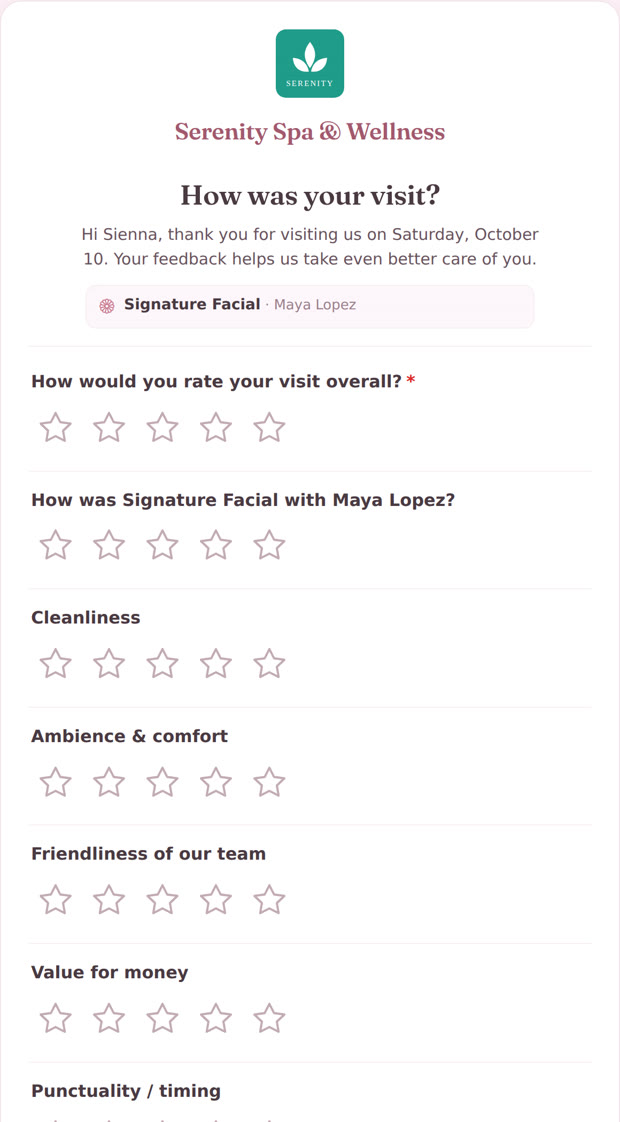
Most feedback tools ask too late and ask too much. This one lands while the visit is still fresh, opens in one tap from the email, and takes under a minute: an overall rating, a rating for the treatment and the therapist, a few things you care about, and a comment box for anyone who wants to say more.
- No account, no app, no password — a private link that just opens
- Personalised with the guest's name, the date and the service
- Written in your words, in your guest's language
- Answers land against the appointment, so you can see who and what
Four steps, three of which you never touch
The visit ends
Choose your trigger — the end of the appointment, or the moment the bill is checked out — and how long to wait afterwards. Pxier checks every ten minutes and sends once, to the guests who qualify.
The guest rates the visit
Your email, your wording, in the guest's own language. One tap opens the form on their phone; a minute later it is done.
You read the summary
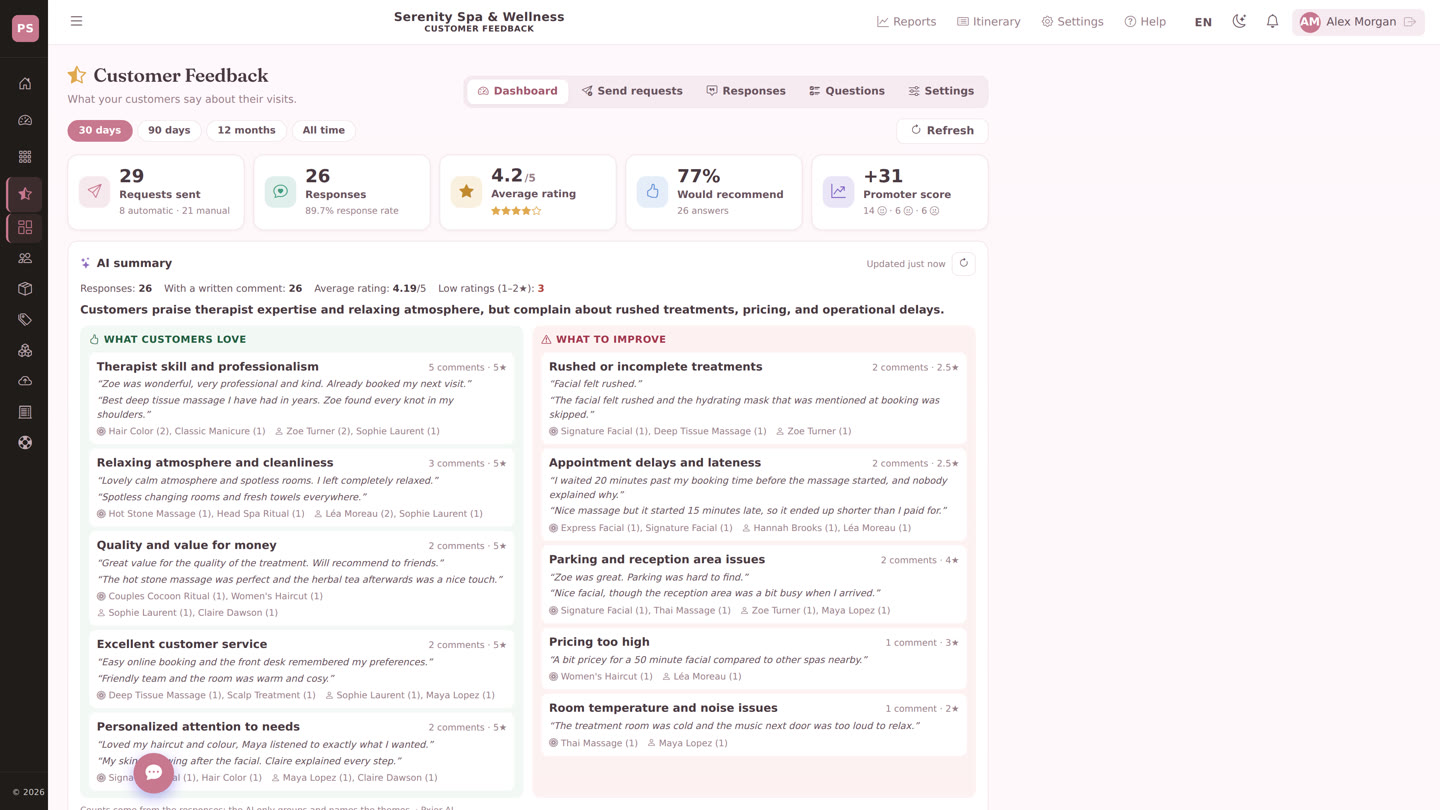
Ratings, response rate, recommendation rate and promoter score at the top; underneath, the comments grouped into what guests love and what to improve, with the services and therapists named.
Someone has to read 200 comments. It doesn't have to be you.
Pxier AI reads every written comment in the period and sorts it into themes, each with the quotes behind it and the services and staff that came up. You get the pattern, not a spreadsheet.
What customers love
Therapist skill and professionalism — the quotes, the services and the names behind the praise.
Relaxing atmosphere and cleanliness — what your rooms are doing right.
Quality and value for money — the part of your offer that is landing.
What to improve
Rushed or incomplete treatments — with the treatment and therapist named, before it reaches a public review.
Appointment delays — the lateness your schedule hides and your guests notice.
Room comfort, parking, pricing — the small things that cost a second booking.
Themes shown are an example of the output; your summary is built from your own guests' comments.
See it in 43 seconds
The request after the visit, the form your guest fills in, the ratings on your dashboard, the comments grouped for you, and the reply waiting to be checked.
Also available in Français · Español · Deutsch Rather see the whole product? Watch the full Pxier Spa tour (2:33)
Automatic by default, manual when you want it
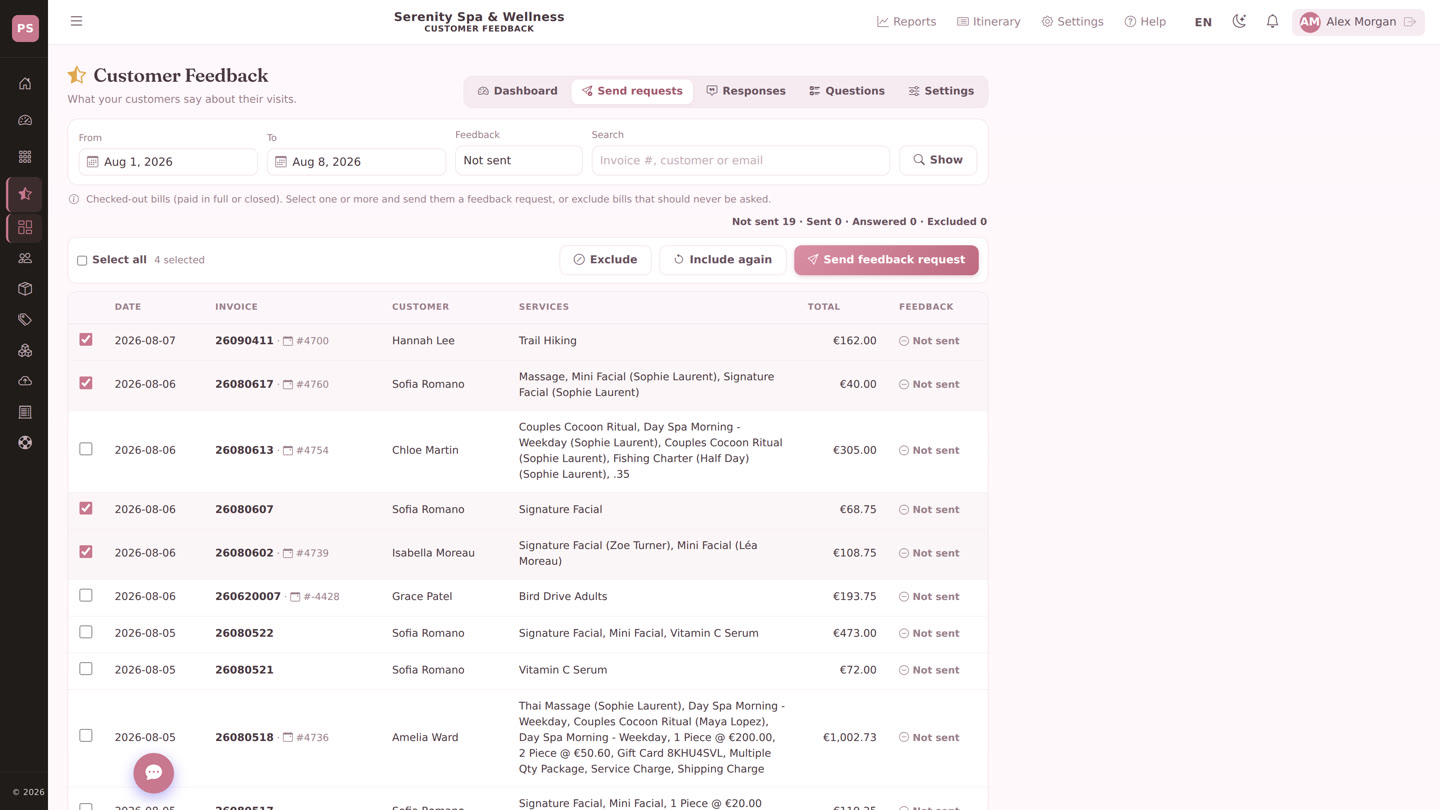
Leave it on and it runs: every qualifying visit gets one request, inside the window you set, never twice. When you want to reach further back — a quiet week, a new treatment, a therapist you are watching — the Send requests tab lists your checked-out bills so you can send a batch by hand.
- Trigger on the appointment or on the checkout
- Your own delay, so the request arrives when the visit is still fresh
- Send in bulk from the bill list, or one at a time from the appointment
- Exclude a guest who should not be asked, and include them again later
Your email, your questions, your guest's language
The request is a template you own: subject and body per location and per language, with placeholders for the guest's name, the date, the services they had and the link. The form behind it is yours too — keep the standard ratings or write the questions that matter in your rooms.
- A separate template per language, so nobody gets a translated-sounding email
- Questions you can add, reorder or retire at any time
- Your logo and your spa's name on the form the guest opens
- Replies come back to your business address, not to a no-reply void
Turn quiet satisfaction into public reviews
Most happy guests never think to write a review. Set your Google review link and the rating you count as happy: guests at or above it are invited to post publicly the moment they finish the form, while anyone below it reaches your team instead — where the problem can still be fixed.
Asked at the right moment
The invitation appears when the guest has just told you the visit was good — the one second they are most likely to act.
Complaints come to you first
A low rating opens a conversation with your team instead of a public post, and lands in your dashboard the same day.
You can see it working
Response rate, average rating, recommendation rate and promoter score over 30 days, 90 days, a year or all time.
Attached to the visit it came from
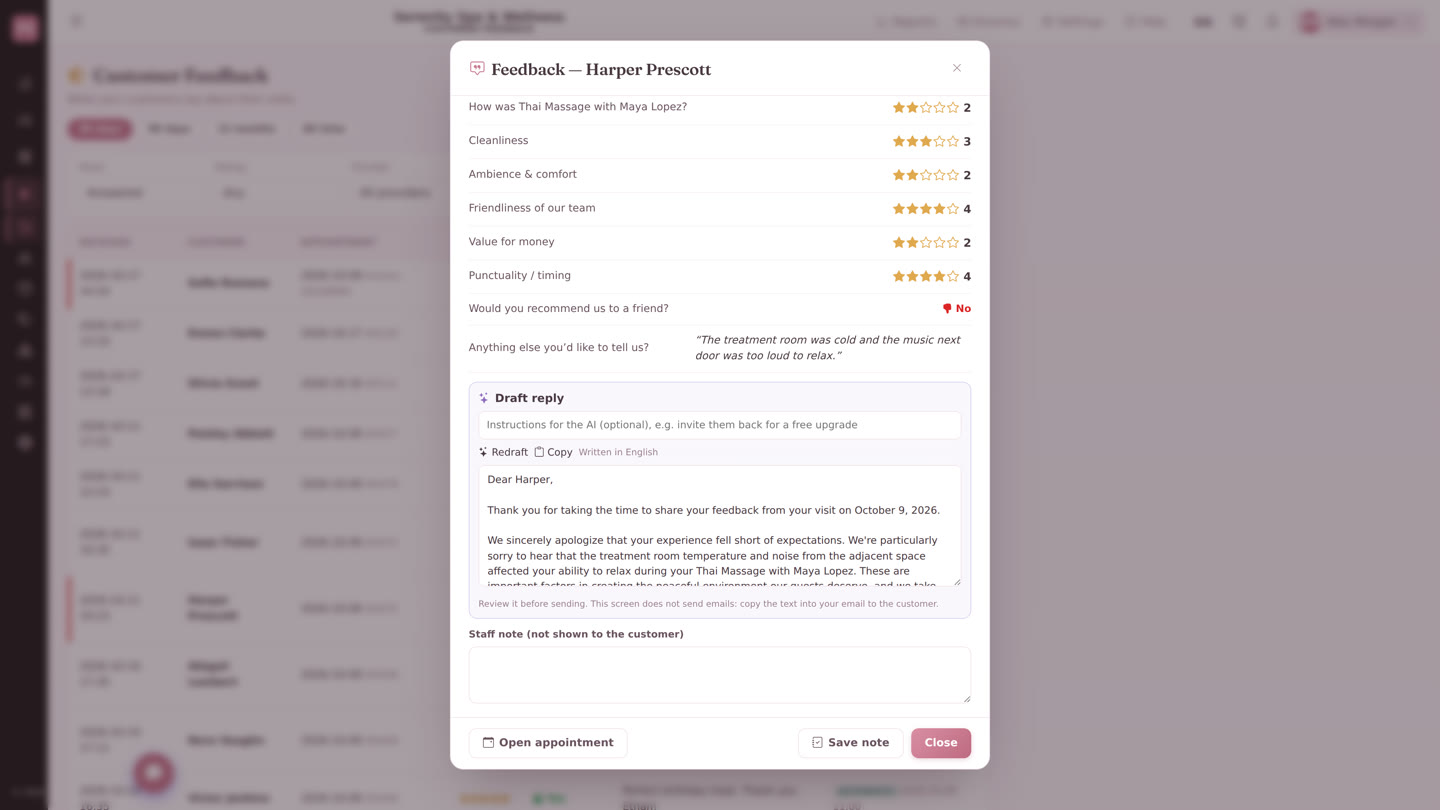
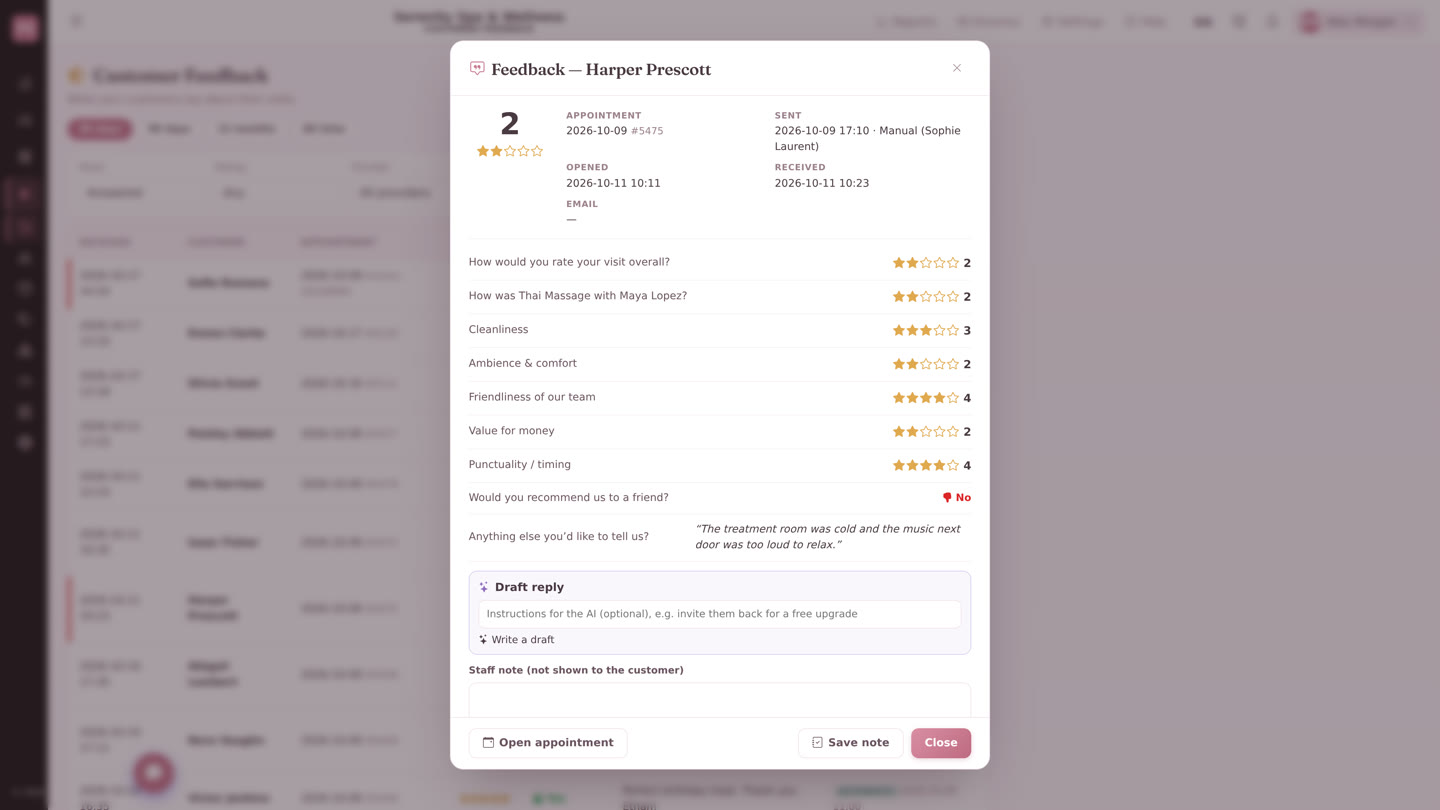
Every answer stays with the appointment, the guest and the therapist, so a rating is never an anonymous number. Filter the responses, read the comments, add an internal note about what you did — and open the feedback for a booking straight from the appointment itself.
- Ratings per service and per team member
- Internal notes, so a follow-up is recorded, not remembered
- Feedback visible from the appointment and the guest's history
- Works for appointments and for walk-in bills
Questions we get asked
When is the feedback request sent?
Does the guest need an account or an app?
Can we ask our own questions?
Can we point guests to Google reviews?
Can we ask about visits that already happened?
What about guests with no email address?
Is customer feedback included in Pxier Spa?
Find out what your guests are not telling you
See the feedback module on your own services in a 20-minute demo, or switch it on yourself from the Marketplace in Pxier Spa.