Help center

FAQ

We have provided here some of the questions frequently asked by our customers. Our software has many other functionalities that are not covered here such as payment gateways, QuickBooks integrations, marketing campaign emails, contract and event configurations, etc. Please send us your specific questions for a prompt reply.

Pxier FAQ

Frequently Asked Questions

1. What is Pxier Events on Cloud?
Pxier is a subscription-based software provided as a service or Software as a Service (SaaS). The software is hosted in our data centers. Users subscribe to our software service and pay for the service they use.
2. Do I need to install Pxier Events software?
Pxier's software solutions do not need any installation as they are all cloud-based. Users just need a browser-enabled device with an internet connection. Access Pxier web link, login and you are ready to go.
3. How do I pay for the service?
Pxier's services are subscription-based. You will make either monthly or yearly payments for the services. An additional 10% discount will be applied to yearly subscriptions.
4. Do you charge a separate yearly support fee?
No, support cost is included in the monthly or yearly subscription charges. Support is completely free and our staff is available 24*7 to resolve your issues.
5. Can I cancel the service anytime?
Yes, you can cancel the service anytime.
6. Are there any cancelation charges?
No, there are no cancelation charges.
7. What is included in the support?
Issues related to Pxier's software will receive assistance. Support does not include users' hardware. We will do our best to resolve the issues, but issues related to hardware such as PC, tablet or underlying operating system are not supported.
8. Is there a separate charge for upgrades?
No, all upgrades are free!

Accessibility

1. Can I access Pxier software solutions from anywhere?
With proper credentials and browser-enabled device, you can access your pxier application account from anywhere in the world.
2. What device can I use to access Pxier Software Solutions?
You can access our software using PC, laptops, tablets, iPad, iPhones, and other smartphones. Devices should have an internet connection.
3. Is it supported on all browsers?
Pxier works well on Chrome, Firefox and Safari browsers. Pxier Events also function correctly on the latest versions of Internet explorer.

Data Security and Privacy

1. Who can access the data?
We have implemented Identity Management Solution to control access to information and resources. Users logging in will be verified before they are allowed access. Customers can limit user login locations by using the IP address range. All user access is logged along with location, IP Address and time.
2. Who has access to the infrastructure? Is it secure?
Physical and personal security has been put in place to make sure only authorized users have access to the servers and relevant customer data is restricted and all access documented.
3. What about application security?
Application access over the cloud is tested and verified for vulnerabilities and has been deemed to be secure.
4. What about data privacy?
We take data privacy seriously. Customer data is secured via access control & Firewall along with the optional client to server traffic encryption using Secured Socket Layer (SSL).
5. Where is my data stored?
We use Amazon Web Services. All your data would be uploaded onto the Amazon cloud. Amazon CloudSearch is a managed service in the AWS Cloud that makes it simple and cost-effective to set up, manage, and scale a search solution for your website or application. Amazon CloudSearch supports 34 languages and popular search features such as highlighting, autocomplete, and geospatial search.
6. What privacy laws do you abide by?
We strictly adhere to GDPR (General Data Protection Regulation) and ensure only the lawful collection, organization, structuring, storage, alteration, consultation, use, communication, combination, restriction, erasure or destruction of personal data.
7. Where are your Servers?
Our servers are located in the United States, Canada, and Germany.
Application availability and uptime

1. What is the application uptime?
Our uptime is more than 99.95%. To make sure software quality is maintained, we follow a change management process that includes testing and verification of all changes.
2. How reliable is the network connectivity and availability?
Our data centers have redundant network services and devices to make sure a single failure will not bring down our systems.
3. How reliable are your servers?
We have many servers to provide prompt data requests from customers. Databases are replicated to make sure in case one of the database servers were to go down, other database servers will take over and all this will be seamless to customers. Web and application servers are load-balanced to make sure there is no single point of failure to potentially impact our customers.
4. What kind of Service Level Agreement do you use?
We use Amazon Web Service Service Level Agreement (AWS SLA). It provides you with a Monthly Uptime Percentage of at least 99.99%, in each case during any monthly billing cycle (the "Service Commitment"). In the event any of the Included Services do not meet the Service Commitment, you will be eligible to receive a Service Credit

Backup and Replication

1. Is my data backed up and secure?
We take customer data backup and safety seriously. Our data is backed up on multiple devices. A separate backup is maintained for every day of the week and then starts over the next week. So basically we maintain a separate copy of the last seven days.
2. Can I get a copy of my data?
Yes, you can retrieve and save your data. Data entered into Pxier is stored in a database. The data itself does not make much sense unless accessed through Pxier software. Users can run reports and save them as CSV files at no cost. You can open the CSV file in Excel
3. Can I get a copy of my data from Pxier?
Yes, you can request Pxier to provide a copy of your data once a week for a small monthly fee. This is an option, but you can always use the save as option available in reports to save it yourself

Customer Relationship and Lead Management

1. Can I use Pxier Event for Customer and contact management?
Yes, you can create and manage customer and contact information. You can also organize customers by customer type, for example, corporations, social, government, non-profit, etc. Customers can have multiple contacts.
2. How many customers and contacts can I manage? Is there a limit?
There is no limit on how many customers and contacts you can manage.
3. Can I track how customers heard about my business?
Yes, you can track how a customer came to know about your business and the industry. This knowledge can be updated into the system and data can be used to analyze which advertisement campaigns are working and which ones are not.
4. Can I use it for Customer Lead Management?
Yes, you can use the system for customer lead management. The software offers features to track customer communication, update, schedule appointments, etc. The customer type attribute can be configured to identify the status of potential customers.
5. Can I use it for Customer Lead Management?
You can search customer data using the customer or contact name or contact number. The system also offers a type-ahead feature and displays customer names matching two or more characters you type in.

Appointment Management

1. Does Pxier offer a graphical Event Appointment calendar?
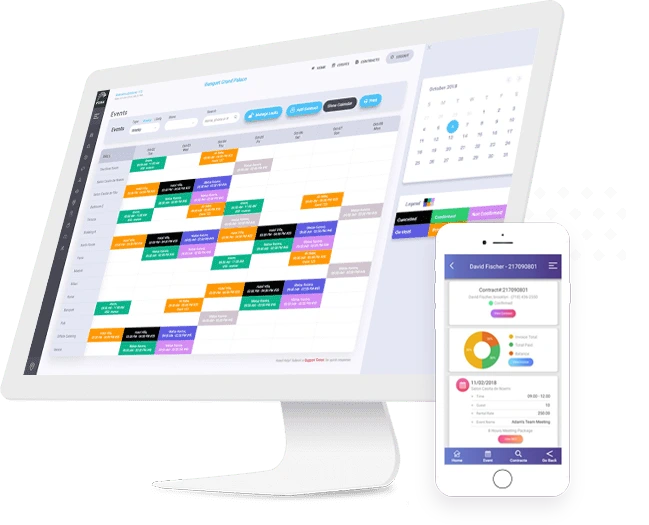
Yes, Pxier does offer a graphical Appointment Calendar. Users can click on the calendar to check appointment status for different dates. Users can click and open existing appointments or create new ones right from the appointment calendar.
2. Does the Appointment Calendar show appointment status?
Yes, the appointments show up on the calendar in different colors depending on the appointment status. The legend on the appointment calendar explains the color-coding
3. Is it possible to change the color coding for the appointment status?
Yes, you can easily change the appointment status color using the Appointment Status option.
4. What is the purpose of the appointment option?
As the name suggests appointment options can be used to schedule appointments and invite customers and staff such as chefs, florists, event planners, etc. The system can also be configured to send appointment reminder emails to invitees.
5. Who can I invite for the appointment?
You can invite customers, staff members, and any users that are registered in Pxier. An employee management option is required for adding staff members.
6. Can I configure my Pxier account to send appointment reminder emails?
Yes, you can configure the Pxier account to send automated appointment reminder emails
7. Does the system allow me to notify the invitees right away?
Yes, Pxier allows you to notify invitees right away using the notify now button on the invitees' tab.
8. Can I schedule the system to send out an automated reminder email for a specific date?
You can configure the appointment to send out a reminder email to the invitees anywhere from 1 to 48 hours before the appointment.

Email

1. Can I send a contract and invoice via email?
Yes, the system can be configured to send a contract and invoice by email. Pxier preferences can be configured to send email using your SMTP server.
2. Can I send Contract and Invoice separately?
Yes, users can either send contracts and invoices separately or can send then in one single email.
3. Is it possible to send an email from a general email address say info@company.com or a person say john.james@company.com?
Yes, as long as the sender has the same SMTP server and valid email address and password, it should be possible.
4. I am not able to send a contract and invoice via email, what could be the issue?
Most likely your SMTP and email preferences are not set. It is also possible to relay authentication on your email server is disabled. Relay authentication should be enabled for Pxier software to send authenticated emails via your SMTP server
5. How do recipients access contracts or invoices from their email?
Recipients receive links to access contracts and invoices. Clicking these links brings up the contract or invoice. Recipients can print or save these documents.
6. Can I configure my Pxier account to send payment reminder emails?
Yes, you can configure your Pxier account to send automated payment reminders.
7. Can I configure my Pxier account to send notification emails?
Yes, you can configure the Pxier account to send automated notification emails.

Miscellaneous

1. Can I set a date format for my account?
Yes, you can set the date format for your account easily using the preference settings.
2. Can I set a time format for my account?
Yes, just like the date format, you can set a time format for your account easily using the preference settings.
Integration

Pxier integrates its event booking website to your organization's official page so that your clients can easily reserve a venue or a service